
How to A/B Test App Screenshots in App Store Connect and Google Play Console
A step-by-step testing framework for screenshot experiments in App Store Connect and Google Play Console, including what to test and how to read results.
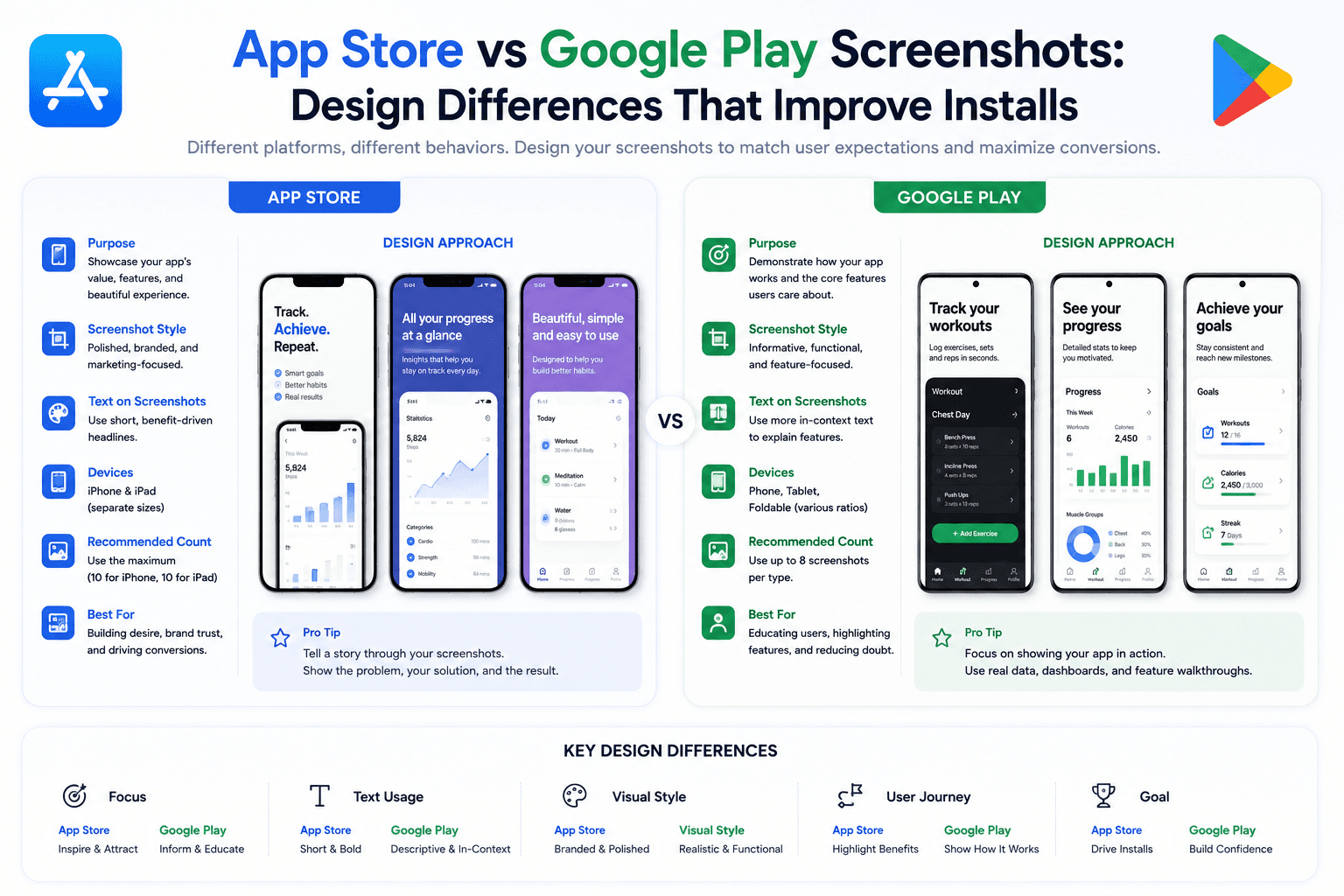
A/B testing screenshots is one of the fastest growth levers for mobile teams. This guide helps you run cleaner experiments and avoid misleading conclusions.
What to test first
Start with high-impact variables: screenshot one concept, headline style, and first-three sequence order.
Avoid changing too many elements at once or you will not know what caused uplift.
Design valid experiments
Define one clear hypothesis and a primary success metric before launching.
Run tests long enough to reach stable direction; short windows often reflect noise.
Turn results into a repeatable cycle
Promote winners, document why they likely won, and queue the next experiment from that insight.
Treat screenshot optimization as an ongoing program, not a launch-week task.
Ship experiments faster with Screenza
The bottleneck in screenshot testing is usually creative production speed, not test setup.
Using Screenza as the production layer lets growth teams build multiple screenshot variants quickly and keep experiment velocity high.
Key takeaways
- Test high-impact screenshot variables first.
- Use one hypothesis per experiment.
- Avoid over-interpreting short or noisy runs.
- Build a repeatable screenshot testing cadence.
Build faster
Create your next screenshot set in Screenza.
Use a template, replace the screens, edit the copy, and export polished App Store or Google Play screenshots without a design file.